
How to Use Signals
A simple, step-by-step guide to trading with our signals
📱 Signal Example
Here's what a real signal looks like on the dashboard
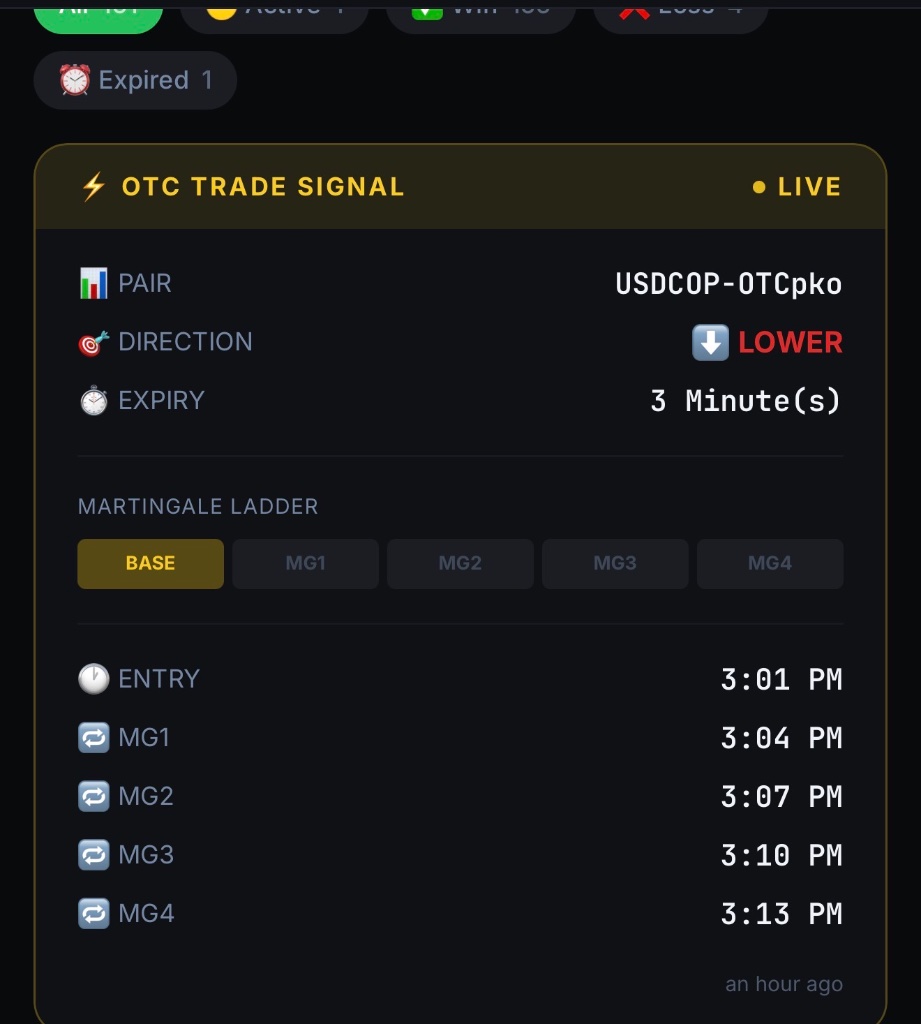
PAIR
USDCOP-OTCpko
DIRECTION
⬇️ LOWER
EXPIRY
3 Minutes
ENTRY
3:01 PM
01A Signal Drops — Read It
When a signal appears, you'll see the Pair, Direction, Entry Time, and Expiry. Get your trading app ready before the entry time.
02Enter at the Exact Time
The entry time is everything. Enter the trade at exactly the time shown — not before, not after. Timing is the #1 key to success.
03Pick the Right Side
If the signal says HIGHER → select CALL or BUY. If it says LOWER → select PUT or SELL. Simple.
04Set the Exact Expiry
Match your expiry exactly to what the signal shows. 1 min = 1 min. 3 mins = 3 mins. No guessing.
05Didn't Win? Follow the Martingale
If the first entry doesn't win, don't panic. The system gives you backup entry times (MG1, MG2...). Enter again at the next time shown, same pair, same direction.
06Win at Any Level = WIN
If you win at BASE, MG1, MG2, MG3, or MG4 — it counts as a WIN. Only a loss at all levels is a loss.
💡 Golden Rule
Stay disciplined. Follow the timing strictly. Don't enter trades outside the signals. This system runs on structure and consistency — your results depend on how well you follow it.